Computer Specifications In today’s digital world, knowing your computer specifications is essential—whether you’re a gamer, student, content creator, or casual user. Computer specs determine what your machine can handle, how fast it works, and what kind of tasks it can perform efficiently.
🔧 What Are Computer Specifications?
Computer specifications (or “computer specs”) refer to the technical details that describe the performance and capabilities of a computer. These details include components such as the processor (CPU), RAM, storage, graphics card (GPU), and more.
Let’s break down the key components:
🧠 1. Processor (CPU)
The CPU (Central Processing Unit) is often called the “brain” of the computer. It handles all instructions and processes running on the system.
- Common brands: Intel, AMD
- Popular models: Intel Core i3/i5/i7/i9, AMD Ryzen 5/7/9
- Tip: A faster processor allows for smoother multitasking and better performance.
💾 2. Memory (RAM)
RAM (Random Access Memory) is your computer’s short-term memory. It stores data that is actively being used so the system can access it quickly.
- Standard sizes: 4GB, 8GB, 16GB, 32GB
- More RAM = Better multitasking
- For gaming or video editing, 16GB or more is recommended
🗂️ 3. Storage (HDD / SSD)
Storage determines how much data your computer can save.
- HDD (Hard Disk Drive): Cheaper, more storage, but slower.
- SSD (Solid State Drive): Faster, more durable, but more expensive.
- Many modern PCs use SSDs for faster boot and load times.
🎮 4. Graphics Card (GPU)
A GPU (Graphics Processing Unit) is essential for rendering images, video editing, and gaming.
- Integrated GPU: Built into the CPU (enough for basic tasks)
- Dedicated GPU: Separate unit (better for games and high-performance apps)
- Brands: NVIDIA, AMD
🔌 5. Other Specifications
- Motherboard: Connects all parts of your PC
- Power Supply Unit (PSU): Provides power to components
- Cooling System: Prevents overheating
- Ports & Connectivity: USB, HDMI, Wi-Fi, Bluetooth, etc.
- Operating System (OS): Windows, macOS, Linux
🧐 Why Computer Specs Matter
- For Students: A balanced laptop with decent RAM and SSD is ideal.
- For Gamers: A powerful CPU + high-end GPU is essential.
- For Creators: RAM, GPU, and storage are critical for video/photo editing.
- For Office Use: A basic setup with reliable performance is enough.
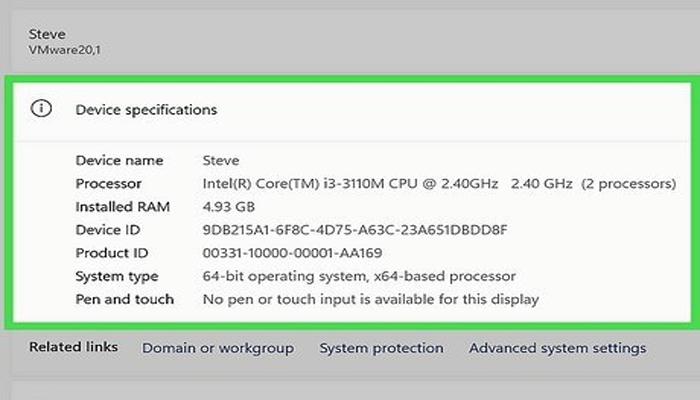
🛠️ How to Check Your Computer Specs
On Windows:
- Press
Windows + R, typedxdiag, then press Enter. - Or go to Settings > System > About
On Mac:
- Click the Apple menu > About This Mac
Understanding computer specifications helps you choose the right device, upgrade wisely, and ensure your machine meets your needs. Whether you’re buying a new PC or optimizing an old one, knowing what’s inside is the first step to better performance.